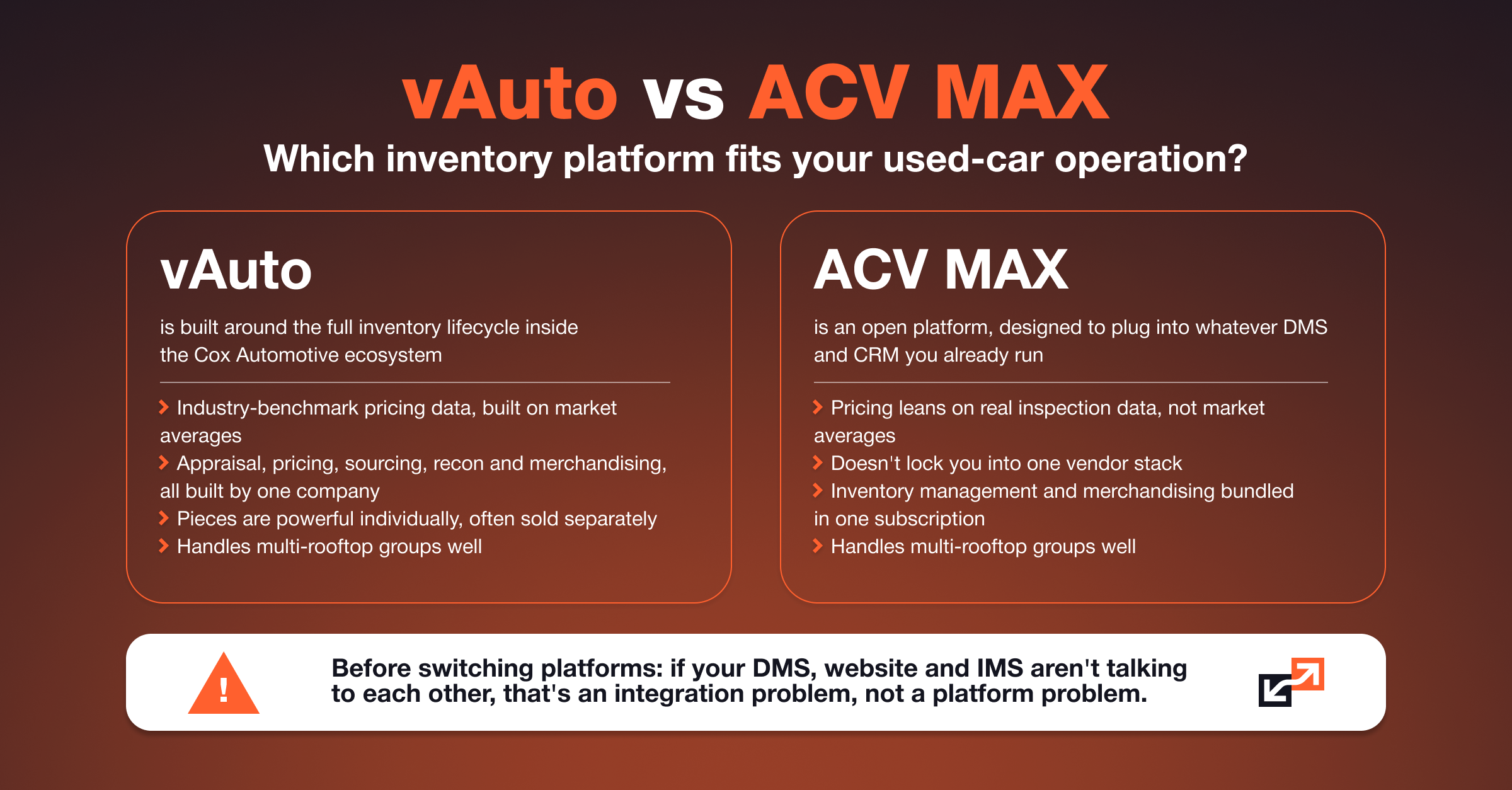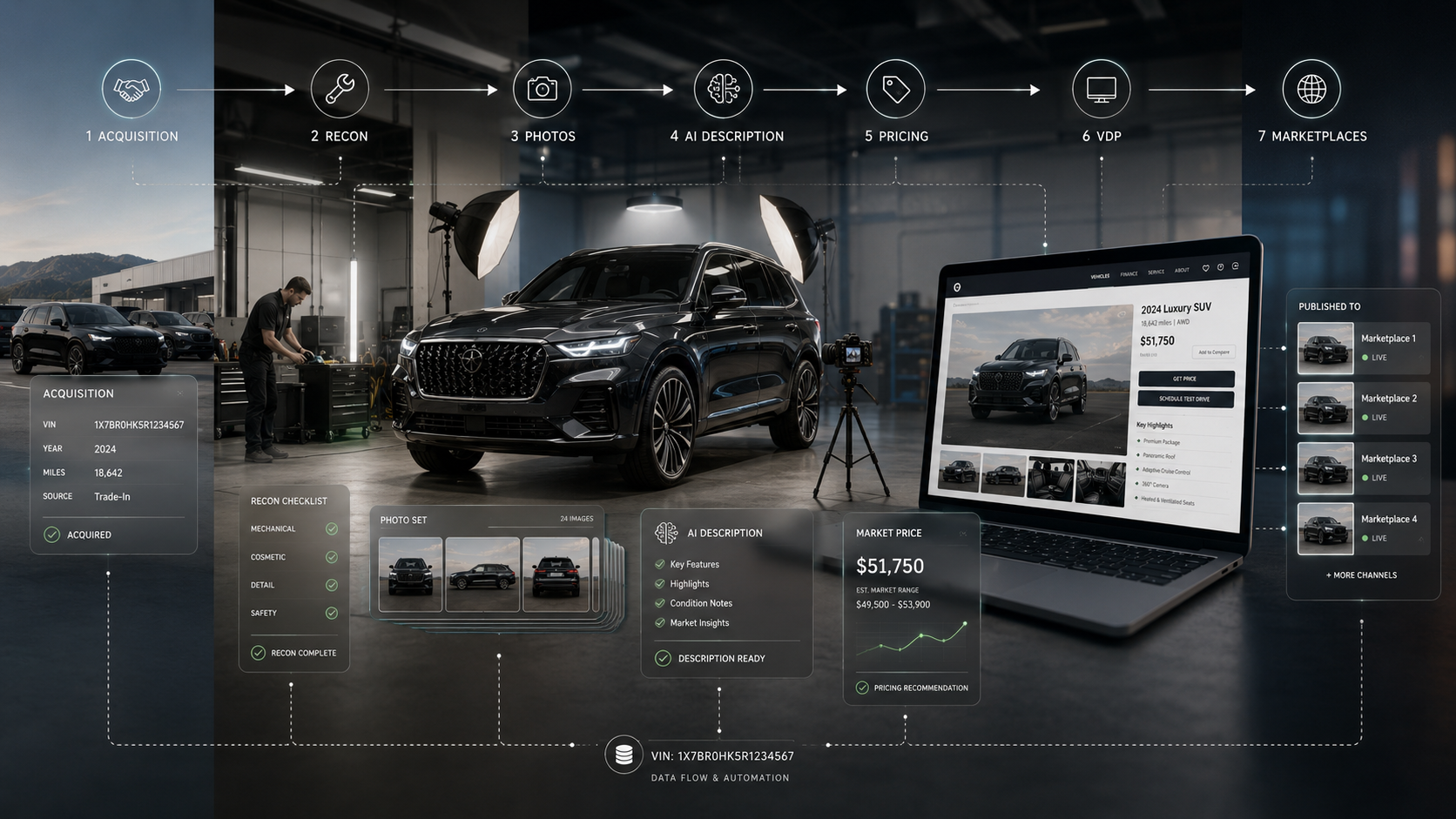
For many used-car dealerships, vAuto sits at the center of inventory decisions. It helps teams decide which vehicles to acquire, what they should pay, how a vehicle compares with the local market, how it should be priced, and when the price may need to change.
vAuto's Provision platform is built around stocking, appraising, pricing, and listing used vehicles using live market data. Its broader product suite also includes ProfitTime GPS for acquisition and pricing decisions, Stockwave for wholesale sourcing, and iRecon for managing the reconditioning process. For a used-car manager, that makes vAuto an important decision-making system.
But there is another part of the process that matters just as much to the customer: what happens after the inventory data leaves vAuto?
Because the shopper does not see vAuto. They see the dealership website. And between those two systems there is an entire inventory pipeline that has to work reliably.
vAuto is managing the vehicle. Your website is selling it.
Consider a typical used vehicle. A dealership acquires a 2023 BMW X5. Inside vAuto, the team may be evaluating acquisition cost, market supply and demand, comparable vehicles, retail pricing, appraisal data, days in inventory, reconditioning cost, and potential gross. That is exactly where a system like vAuto provides value.
But once the vehicle is ready for retail, another set of questions appears:
- How does it get onto the dealership website?
- How quickly do price changes appear?
- What happens when new photos are added?
- How are vehicle specifications updated?
- Who removes old data?
- Does someone have to manually recreate the vehicle online?
- What happens if the dealership wants better photos or a better description than the source data provides?
These look like website questions. In reality, they are data-flow questions. And that was one of the problems we needed to solve for a dealership client.
The starting point: a vAuto inventory feed every six hours
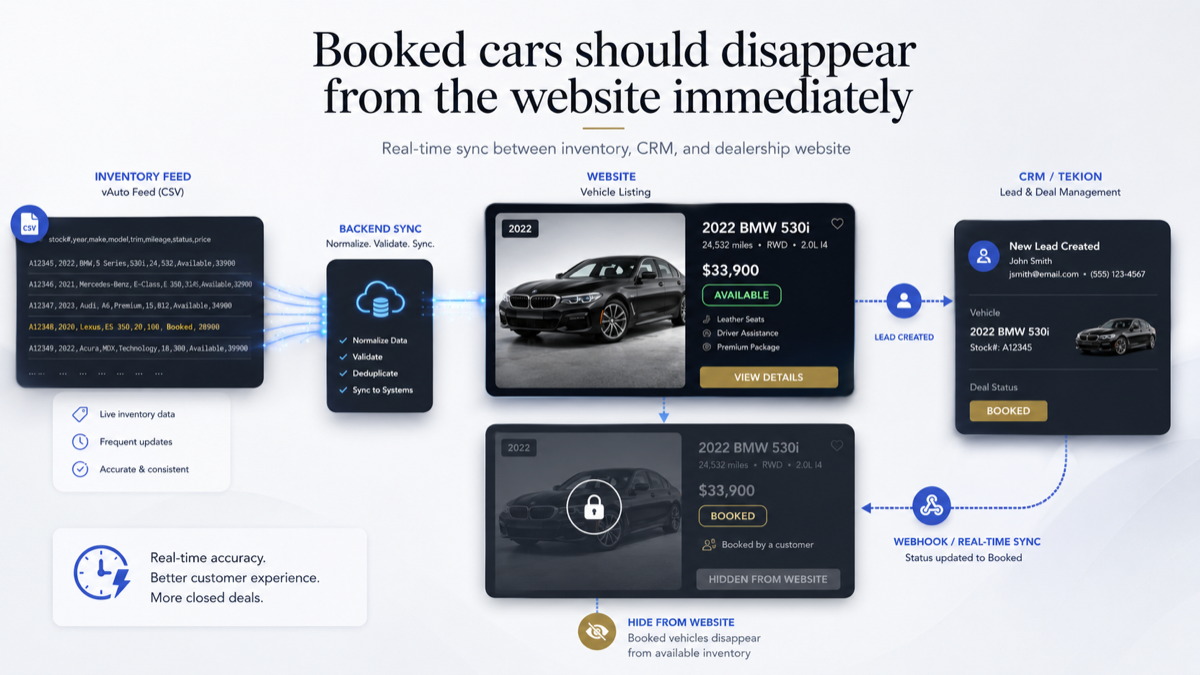
In this dealership's configuration, vAuto exports the current inventory every six hours. A feed is simply a structured package of data sent from one system to another. In our case, that feed is a CSV file containing vehicle information. Conceptually, it looks like this:
The file contains the information the website needs to build and maintain its inventory, including vehicle identifiers and attributes such as VIN, stock number, year, make, model, mileage, price, specifications, photos, and other available fields. Every six hours, vAuto places a new file into a designated server folder.
The simple approach would be to have someone import that file. We did not want anyone doing that.
We built an automated inventory processing layer
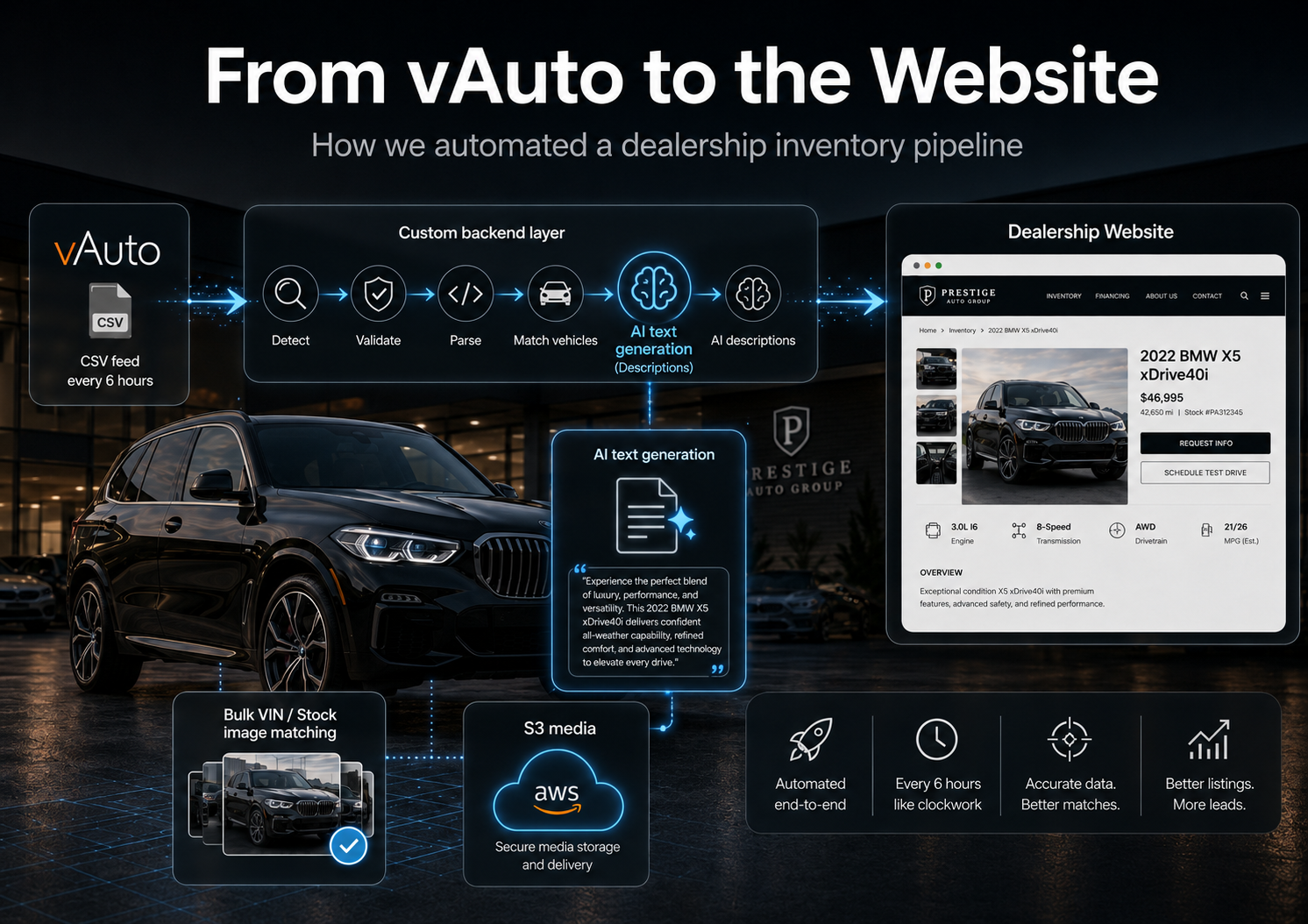
We developed a custom backend application that monitors the incoming feed location. When a new completed feed arrives, the application automatically detects it and begins processing it. The flow looks like this:
There is no daily CSV import for dealership staff to remember. There is no employee copying a new price from vAuto into the website. There is no one manually creating 40 new vehicle pages after an inventory update. If a vehicle appears in the feed, the system can create it. If vehicle data changes, the existing record can be updated. If new inventory arrives, it can be added automatically.
The website becomes a consumer-facing layer on top of the dealership's inventory workflow instead of becoming another inventory system employees need to maintain.
One important limitation remains: the website can only receive information as frequently as vAuto exports it. In this dealership's setup, that means the upstream inventory data refreshes every six hours. Once a new feed arrives, our processing is automatic.
Then we ran into a problem with vehicle photography
The first version of the pipeline could also import the vehicle images supplied through the vAuto feed. Functionally, it worked. But the client had another requirement: the image quality available through the feed was not always good enough for the visual standard they wanted on their website.
For a dealership selling premium and luxury vehicles, this matters. A customer looking at a $100,000 vehicle is not only evaluating the numbers:
They are evaluating the car visually: exterior condition, interior, leather, wheels, trim, options, and details. The photography is a significant part of the Vehicle Detail Page. So we did not want to solve the image-quality problem by removing automation. Instead, we introduced an override layer.
Automatic by default, editable when necessary
The main rule stayed the same: inventory should be automated unless the dealership deliberately wants to change something. The vAuto feed can still create the vehicle and provide its images automatically. But dealership staff can replace those images with their own high-resolution versions. For an individual vehicle, they can manage its photography from the website administration area.
That solved the problem for one car. But it created another question: what if the dealer wants to replace the photography for 50 or 100 vehicles? Opening every vehicle individually would turn the solution back into manual work. So we built a bulk image workflow.
Bulk vehicle photography, matched by VIN or Stock Number
Instead of editing vehicles one at a time, the dealership can prepare an image structure like this:
cars/
    5UXCR6C05P9A12345/
        01.jpg
        02.jpg
        03.jpg
        04.jpg
        ...
    123456F/
        01.jpg
        02.jpg
        03.jpg
        ...
    WP0AA2A99PS123456/
        01.jpg
        02.jpg
        03.jpg
        ...
Each folder is named using a VIN (Vehicle Identification Number) or a Stock Number (the dealership's internal vehicle identifier). The dealer can prepare folders for many vehicles and upload them as one batch. The backend then does the matching:
5UXCR6C05P9A12345Then it moves to the next folder, and the next. The dealership does not have to tell the system manually that these 42 images belong to this BMW. The VIN or Stock Number already answers that question. This gave the dealership two workflows at the same time:
The automation remains intact, while the dealership keeps control over the presentation of premium inventory.
We separated vehicle media from the website infrastructure
We also moved the vehicle media into a dedicated Amazon S3 bucket. Amazon S3 is cloud object storage designed for files such as images and other media. Instead of treating thousands of vehicle photographs as ordinary website files, the architecture separates them:
That becomes increasingly useful as the inventory and photo library grow. A single vehicle can easily have dozens of high-resolution images. Multiply that by hundreds of vehicles, frequent inventory turnover, and continuous image replacement, and media becomes a significant part of the system rather than a small website folder.
The next issue was vehicle descriptions
Photography was not the only content the client wanted to improve. The descriptions available in the existing inventory workflow did not fit the presentation they wanted for the new website. Again, there was an easy but bad solution: ask an employee to rewrite every vehicle description. That creates another manual process. So we added an AI processing step directly into the inventory pipeline.
The workflow became:
Instead of treating AI as a separate writing tool someone needs to open every morning, the description generation happens as part of processing the inventory. The system already knows which vehicle it is processing. It already has structured vehicle information. That information can be used to produce a cleaner, more useful description before the vehicle reaches the website.
So when a new vehicle is published, the dealer does not start with a page that still needs work:
The goal is much closer to a page that is ready on arrival:
Why we did not replace vAuto
This distinction is important. The project was not about recreating vAuto. That would make little sense. vAuto is already designed around inventory acquisition, appraisal, pricing, and market intelligence. Provision, for example, uses live market information to help dealers stock, appraise, price, and list used inventory.
The opportunity was elsewhere. vAuto can remain the dealership's inventory tool. Our job was to make the downstream website workflow behave exactly the way this dealership wanted. That meant building around the existing system instead of forcing the dealership to replace it.
The final architecture
At a high level, the finished inventory flow looks like this:
                       vAuto
                         │
                  CSV every 6 hours
                         │
                         ↓
                Custom backend layer
                         │
           ┌─────────────┼─────────────┐
           │             │             │
        Validate       Parse       AI processing
           │             │             │
           └─────────────┼─────────────┘
                         ↓
                  Vehicle database
                         │
                ┌────────┴────────┐
                │                 │
                ↓                 ↓
           Vehicle data        Images ──→ Amazon S3

          Dealer override layer ──┐ feeds back in
                                  │
                     ┌────────────┴────────────┐
                     │                         │
              Individual image          Bulk VIN / Stock
              management                image upload
The result is not simply "a vAuto integration." It is a controlled inventory pipeline. vAuto remains responsible for the inventory workflow the dealership already uses. The integration layer handles how that information becomes website inventory. And the dealership retains control where automation alone is not enough.
The part dealers should pay attention to
When evaluating a dealership website, it is easy to focus on design. How does the homepage look? How good are the animations? How does the inventory search feel? Those things matter.
But for an inventory-heavy dealership, there is another question worth asking: what has to happen internally before a vehicle in vAuto becomes a complete, accurate VDP on your website?
If the answer contains several manual steps, that is part of the website architecture too. The same applies to price changes, photography, descriptions, and new inventory. A modern dealership website should not create another database that the dealership needs to babysit. Ideally, the employee manages inventory in the tools they already use, and the integration handles the rest.